No. 06 Reading
A reading check that listens on the device.
A child reads a passage aloud and answers three spoken questions. Readaloud marks the reading and estimates a level. Then you review it and confirm it. The app never confirms a score on its own.
Trial classroom links open in December.
Used with a full second-grade class.
No. 06
Readaloud
The reader
What the child does
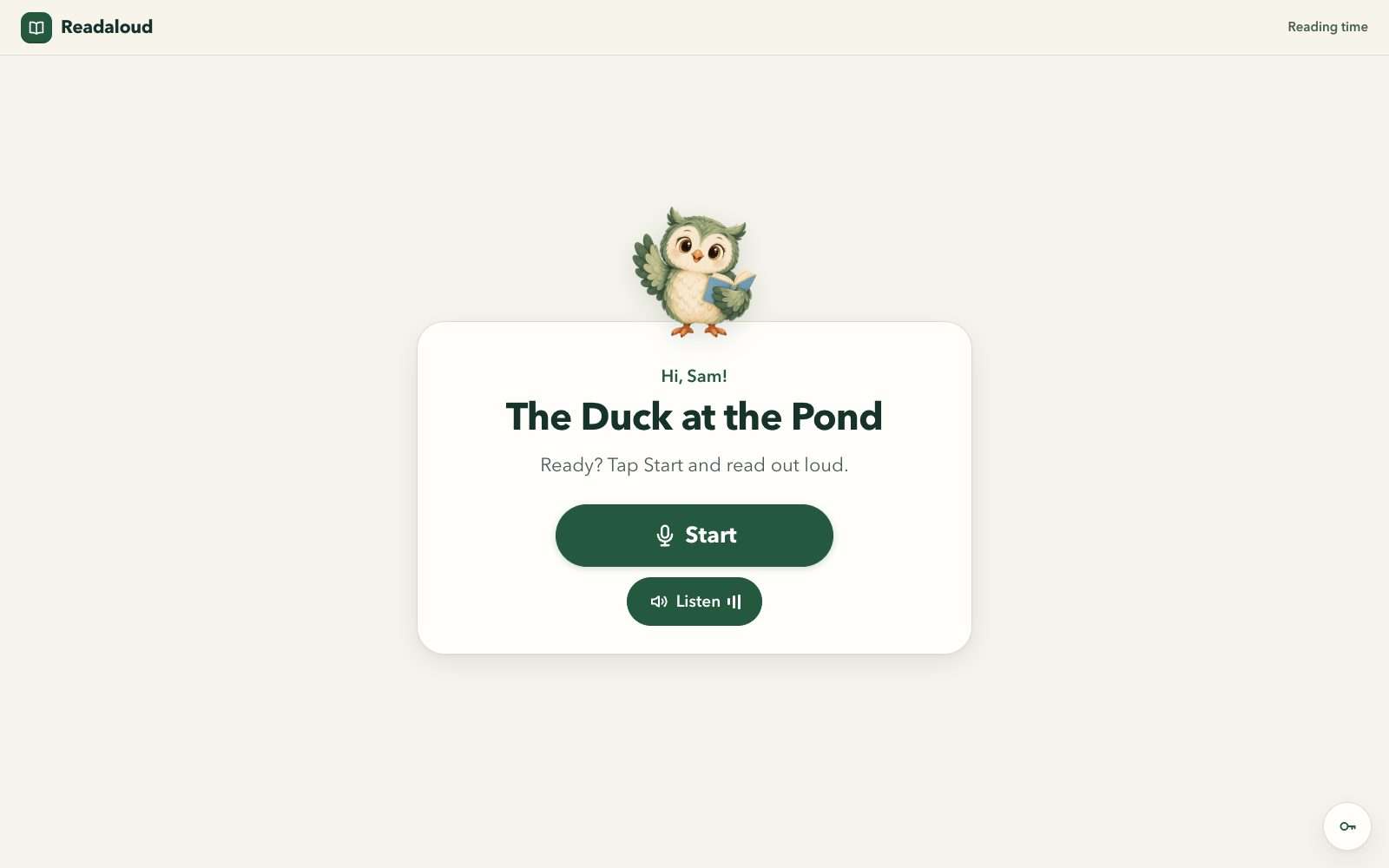
Says hello to Pip
Pip is an owl. Saying hello is a microphone check of a few seconds.
Reads a story aloud
At the earliest levels the reader sees one picture and one page of text at a time. Higher up there are no pictures during reading.
Answers three spoken questions
“Hear the question again” is always there.
The teacher
What you do
Add a reader by nickname
The teacher area sits behind a 3-second hold on a corner key. Readers have no other way in.
Choose “Find reading level”, or choose a passage
“Find reading level” picks the next story by itself: up to five readings, alternating story and nonfiction.
Review, then accept and confirm
The automatic result is labelled “automatic · not reviewed”. Open the marked passage, tap a word to hear it, change any mark or answer score, then confirm. It becomes “confirmed by you”.
The report
What the report shows
- Word-by-word marks on the passage the child read.
- Accuracy, reading rate, and the scores for the three answers.
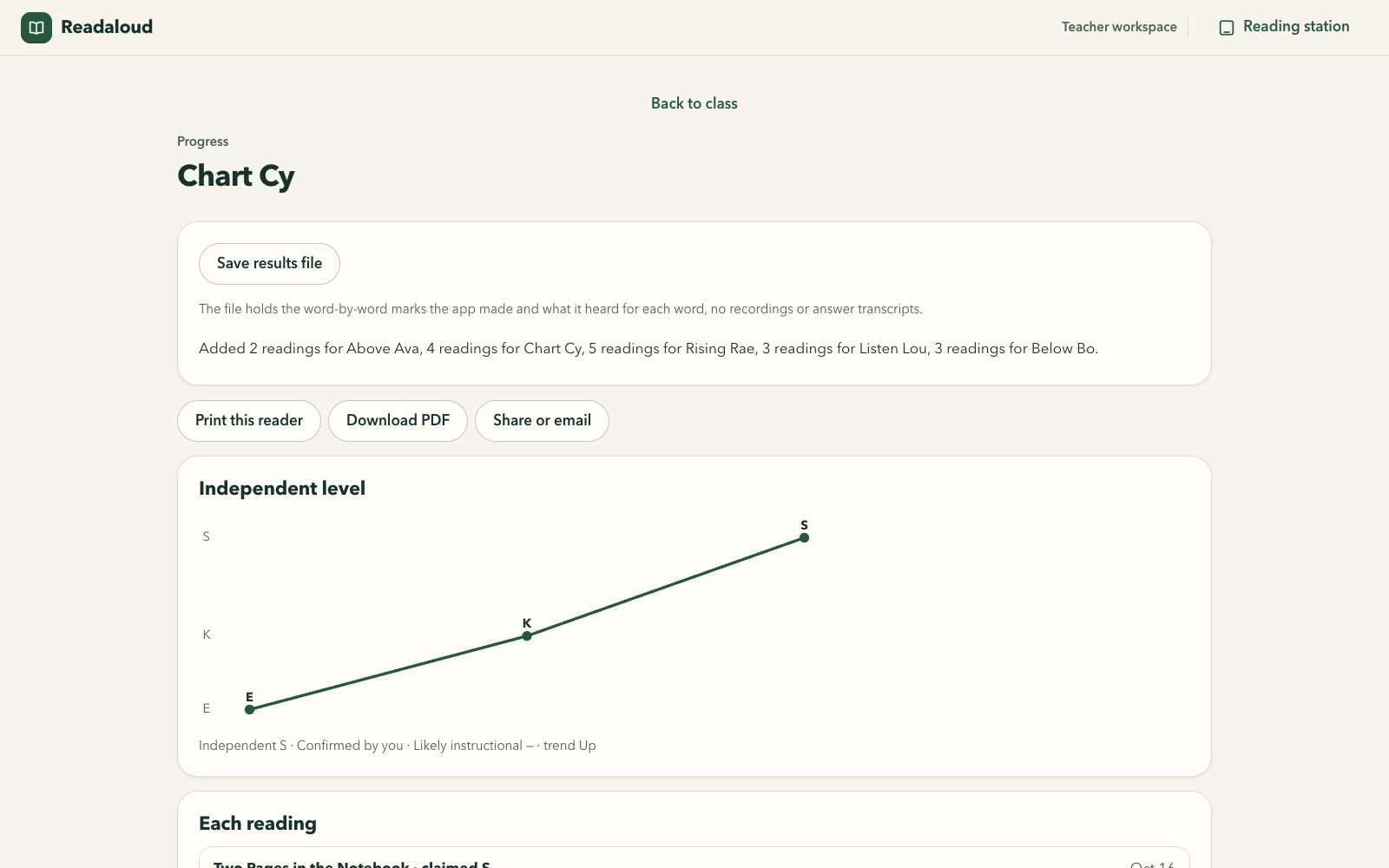
- An estimated level from A to Z, and a level trend over time.
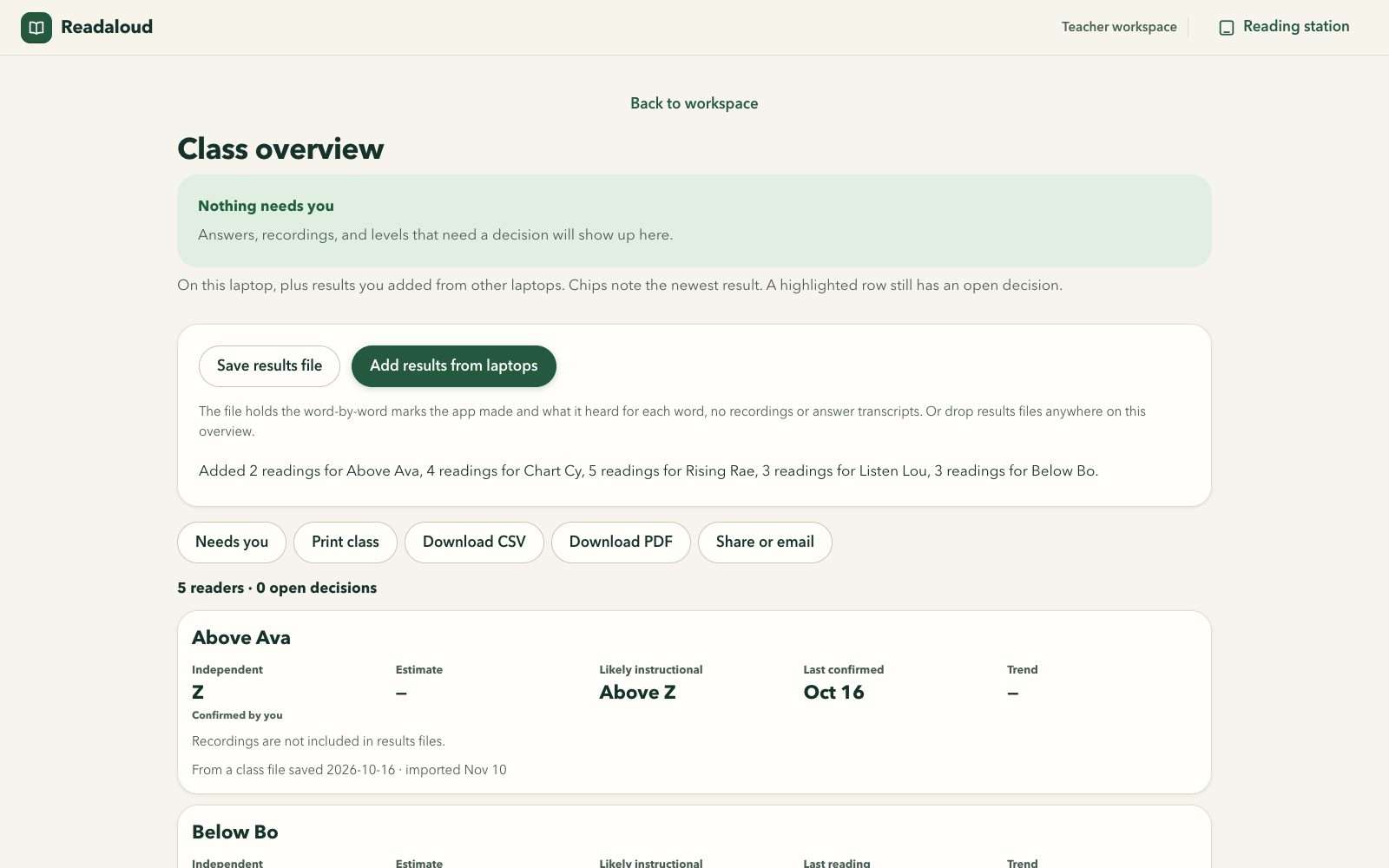
- A class overview, a “Needs you” list, and each reader’s history.
- Exports when you want them: a results file, a CSV, and a PDF report.
Levels are automatic estimates from Readaloud’s own passages, not official F&P levels. The levels are Readaloud’s own claims, informed by the F&P text gradient.
The passages
54 original passages
Two for each level from A to Z, one story and one nonfiction, from 24 to 424 words. At level A a reader meets Where Is Dot? At level Z, Life Without Sunlight.
Plain limits
- Use a headset and a quiet spot. Classroom background noise could make the app score a strong reader too low without flagging it.
- Automatic assessment is less reliable for English learners.
- The automatic marking was built and checked with adult and synthetic voices. It has not yet been formally studied with children’s reading, which is one reason the teacher confirms every result.
- Readaloud is a reading check that a teacher confirms. It carries no Georgia standard code.
Where the audio goes
Nowhere. The listening happens on the device.
Speech recognition runs on the laptop or tablet in front of the child. There is no upload. A recording is held in memory and removed when you confirm the result, or after about 3 hours.
There are two cases where a recording is written to the device’s own storage, and the label lists both. Neither sends it anywhere. The label also lists every file you can export, and what each one holds.
- Devices
- Chrome on a laptop, or Safari on a tablet through Add to Home Screen.
- First load
- Downloads the speech files, about 153 MB, once per device. After that it works offline.
- Trial
- Readaloud has no cut-down version. It comes with a 14-day trial classroom link. Trial classroom links open in December.
Readaloud
The listening happens on the device. Nothing is uploaded. Files leave only when you export them.
- Accounts or logins
- None
- Names
- Nicknames, kept on the deviceYou type a nickname of up to 16 characters for each reader. The guide asks for a short nickname, not a full name. The app cannot stop a real name being typed.
- Voice recordings
- Never uploadedSpeech recognition runs on the device, and the app has no upload. A recording is held in memory and removed when you confirm the result, or after about 3 hours. At most 12 readings are held at once. Reloading the page clears recordings you have not reviewed.
- Recordings written to storage
- In two cases onlyOne: when you accept an app update, held readings are copied to the device’s storage once and deleted at the next start. Two: when you turn on “Keep recordings to improve Readaloud” for a reader, after ticking that a parent or guardian agreed. That switch is off by default and is set reader by reader. Turning it off deletes that reader’s kept recordings.
- Stored on the device: readers
- Nickname, English-learner tickFor each reader: the nickname and whether you ticked “English learner”.
- Stored on the device: results
- Marks, heard words, scoresFor each reading, automatic or confirmed: word-by-word marks, what the recognizer heard for each word, the answer scores, accuracy, rate and level. Saved results never hold recordings or free transcripts.
- Stored on the device: learning log
- On by defaultA numbers-only record for each confirmed reading, plus the consent records for kept recordings. A filter keeps names, audio and transcripts out of it. You can switch it off and delete it.
- Stored on the device: settings and id
- Settings, a random device idYour teacher settings, and a random id for the device. The id is written into results files and the CSV.
- Export: results file
- When you chooseReaders’ nicknames, the automatic and confirmed records with word-by-word marks and what the app heard for each word, the device id and the app build. No recordings and no answer transcripts.
- Export: CSV
- When you chooseOne row per reading: nickname, passage, accuracy, band, words correct per minute, comprehension score, levels, whether you reviewed it, and the device id.
- Export: PDF report
- When you chooseNickname, levels, and for each reading the accuracy, rate, answers and error counts, the marked passage and a level trend. It can be downloaded or handed to the device’s share sheet.
- Export: kept recordings
- Only with the switch onExists only for readers whose “Keep recordings” switch is on. This file does hold recordings. It leaves the device only if you export it by hand.
- Export: learning log
- When you chooseThe numbers-only learning log can be exported as a file from “Help improve Readaloud”. It holds marks, scores and timings, and no name, recording or transcript.
- Ads or tracking from Williams Labs
- None
The first load downloads the speech files, about 153 MB, once per device from the app’s own address. After that it still asks its own address for updates. It sends nothing.
Plates
A look inside
Next The founding list
Be one of the first 200 teachers.
The first 200 teachers get the Founding Teacher price, $29 a year instead of $39 a year, locked for life, and a say in what gets built next. Checkout opens in December 2026. Until then, joining the list is one email to us.